Introduction
Creating a short link on 9to.in is simple, yet powerful. You can not only shorten URLs but also track performance, apply targeting rules, run A/B tests, and generate QR codes—all from one place.
This guide will walk you through every step and feature available while creating your first short link.
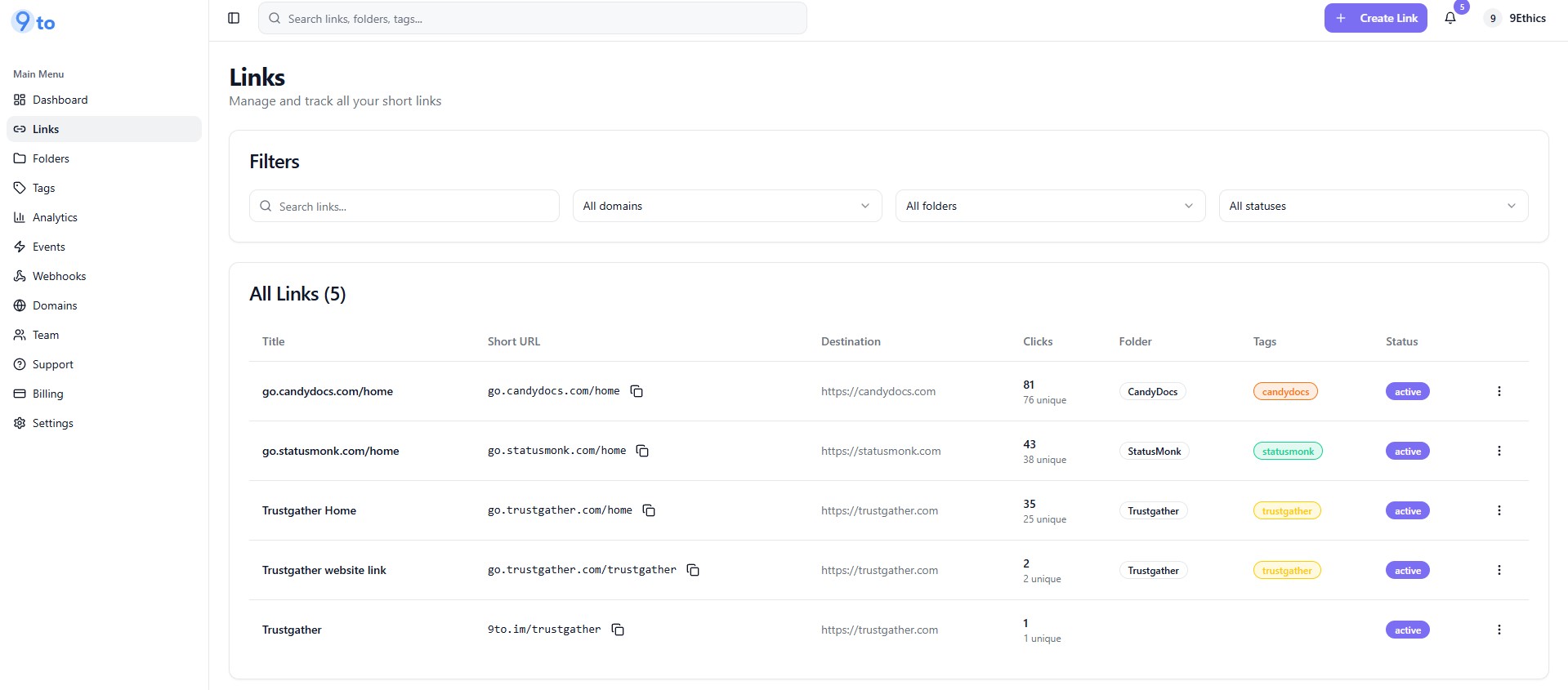
Step 1: Go to the Links Dashboard
After logging in, navigate to:
👉 Links from the left sidebar
Here you can:
View all your links
Track clicks and performance
Manage folders, tags, and status
Step 2: Click on “Create Link”
On the top right corner, click:
👉 + Create Link
This will open the Create New Short Link popup.
🔗 Basic Settings
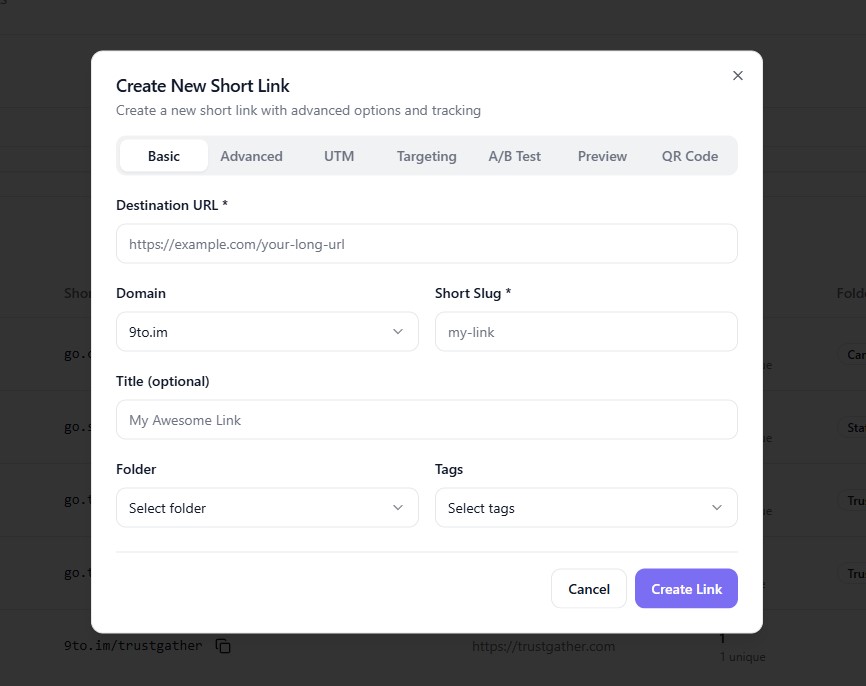
Fill in the required details:
Destination URL – The original long URL you want to shorten
Domain – Choose your branded or default domain (e.g., 9to.im)
Short Slug – Customize your short link (e.g., my-link)
Title (Optional) – Internal name for easy identification
Folder (Optional) – Organize links into folders
Tags (Optional) – Add tags for better filtering
👉 Click Create Link if you want a simple short link.
⚙️ Advanced Settings
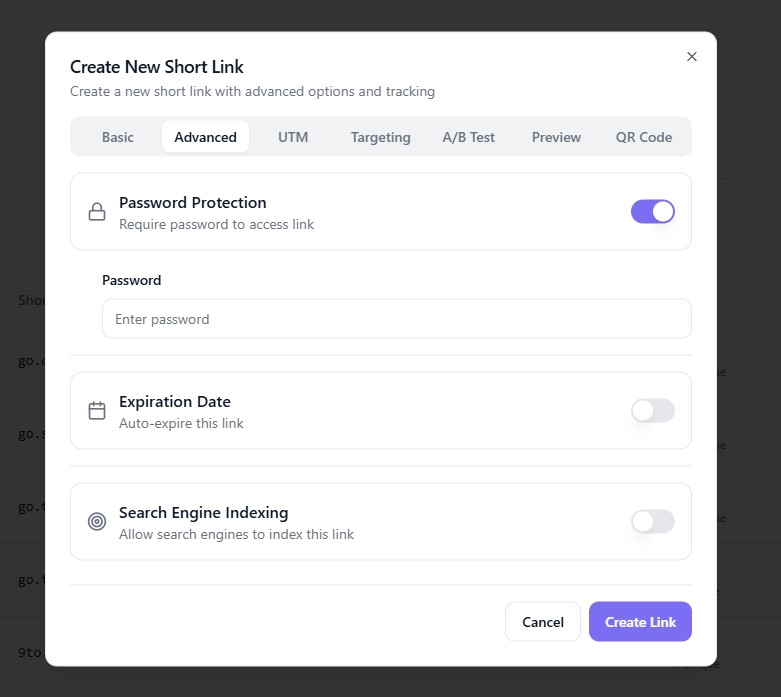
Enhance your link with advanced options:
Password Protection
Restrict access using a password
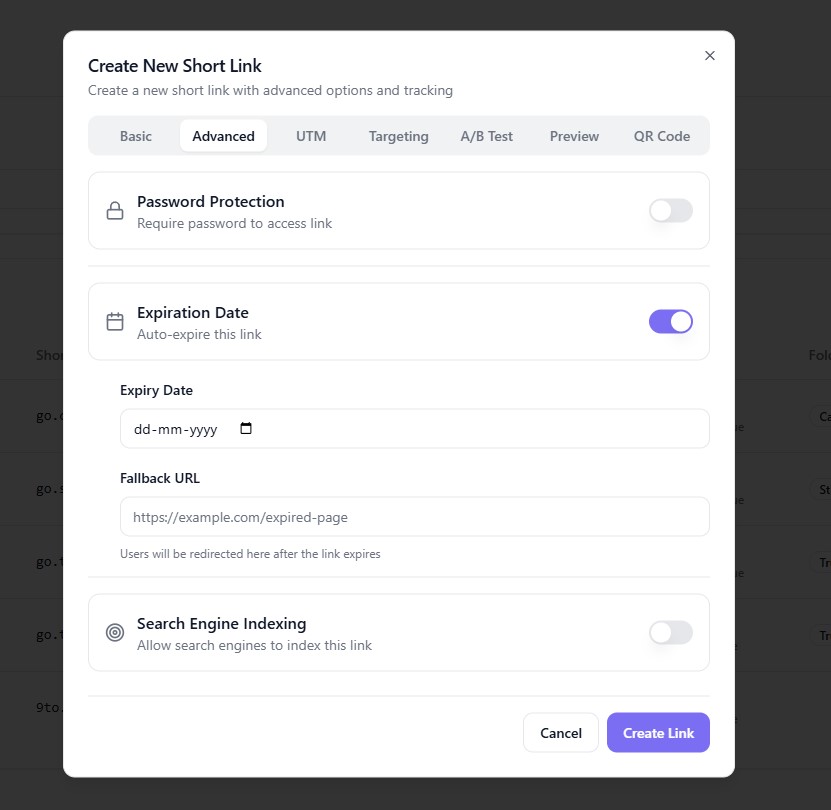
Expiration Date
Set a date when the link will expire automatically
Fallback URL
Redirect users after link expiration
Search Engine Indexing
Enable or disable indexing by search engines
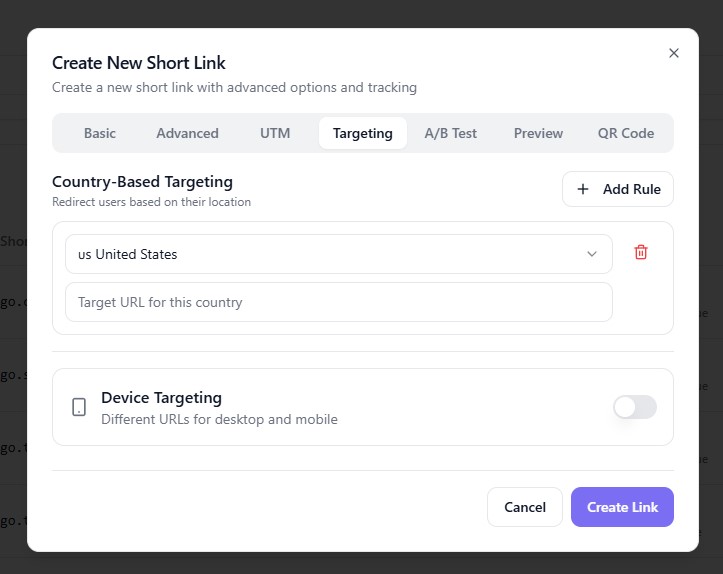
📊 UTM Tracking
Track your marketing campaigns using UTM parameters:
UTM Source (e.g., Facebook, Google)
UTM Medium (e.g., CPC, Email)
UTM Campaign (e.g., summer_sale)
UTM Term / Content (Optional)
👉 Helps you analyze performance in tools like Google Analytics.
🎯 Targeting Options
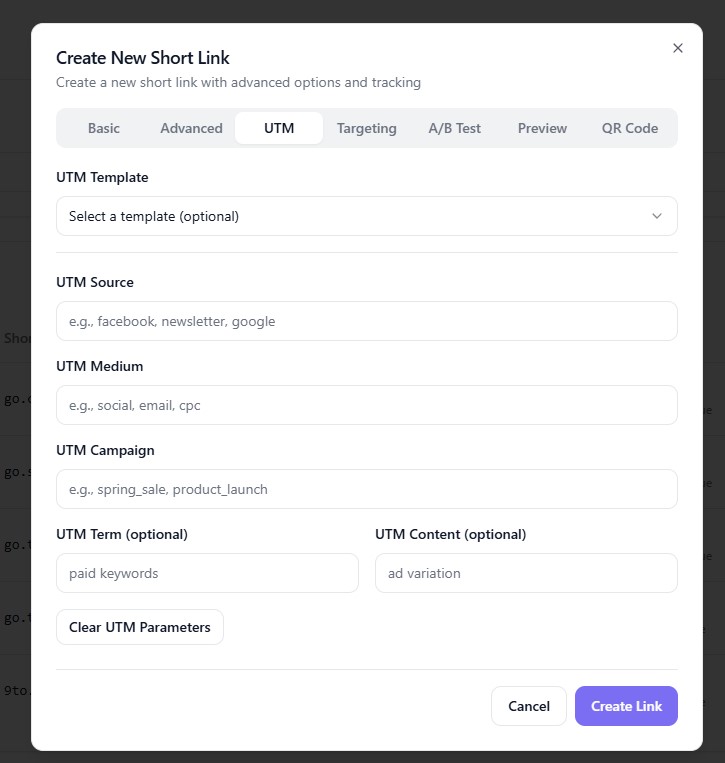
Country-Based Targeting
Redirect users based on location
Example: US users → US store, EU users → EU store
Device Targeting
Send mobile and desktop users to different URLs
🧪 A/B Testing
Optimize performance by testing multiple URLs:
Add multiple destination URLs (variants)
Split traffic between them
Automatically select the best-performing link
👉 Ideal for landing page optimization.
👀 Social Media Preview
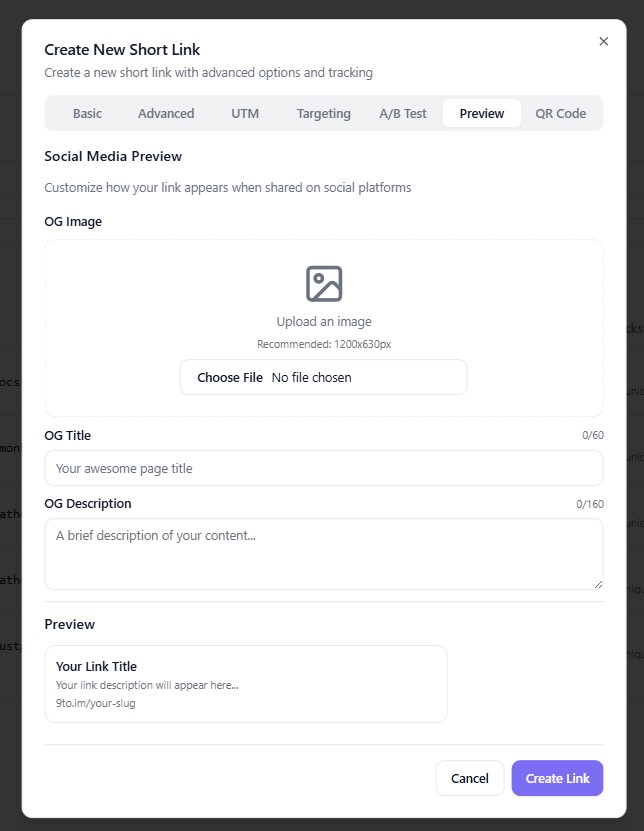
Customize how your link appears when shared:
Upload OG Image
Add Title
Add Description
👉 Improves click-through rates on social platforms.
📱 QR Code Generation
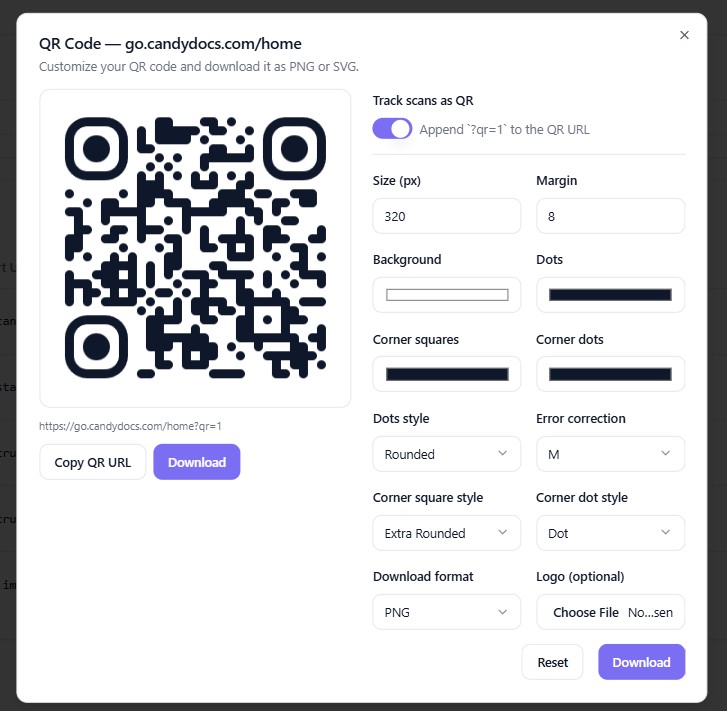
Generate a QR code for your short link:
Customize colors and style
Adjust size and margin
Add logo (optional)
Download as PNG or SVG
👉 Perfect for print materials and offline campaigns.
🚀 Final Step: Create Your Link
Once everything is set:
👉 Click Create Link
Your short link will be generated instantly and visible in your dashboard.
🔍 Manage Your Links
From the Links dashboard, you can:
📊 View analytics
✏️ Edit links
📱 Generate QR codes
🔗 Copy link
❌ Delete link
Use the 3-dot menu next to each link to access these options.
💡 Pro Tips
Use custom domains to increase trust
Add UTM parameters for every campaign
Use A/B testing to improve conversions
Organize links using folders and tags
Enable targeting for global audiences
✅ Conclusion
Creating a short link on 9to.in is more than just shortening URLs—it’s about building a smarter link strategy. With advanced features like targeting, analytics, and testing, you can maximize every click.