🚀 Introduction
QR codes are a powerful way to connect offline and online experiences. With 9to.in, you can create dynamic QR codes linked to your short URLs and track every scan in real-time.
This guide will show you how to create, customize, and use QR codes effectively.
📱 What is a QR Code?
A QR (Quick Response) code is a scannable code that instantly opens a link when scanned using a smartphone camera.
With 9to:
QR codes are dynamic (you can update the destination anytime)
Every scan is tracked and analyzed
You can customize design and branding
🛠️ Step-by-Step: Create a QR Code
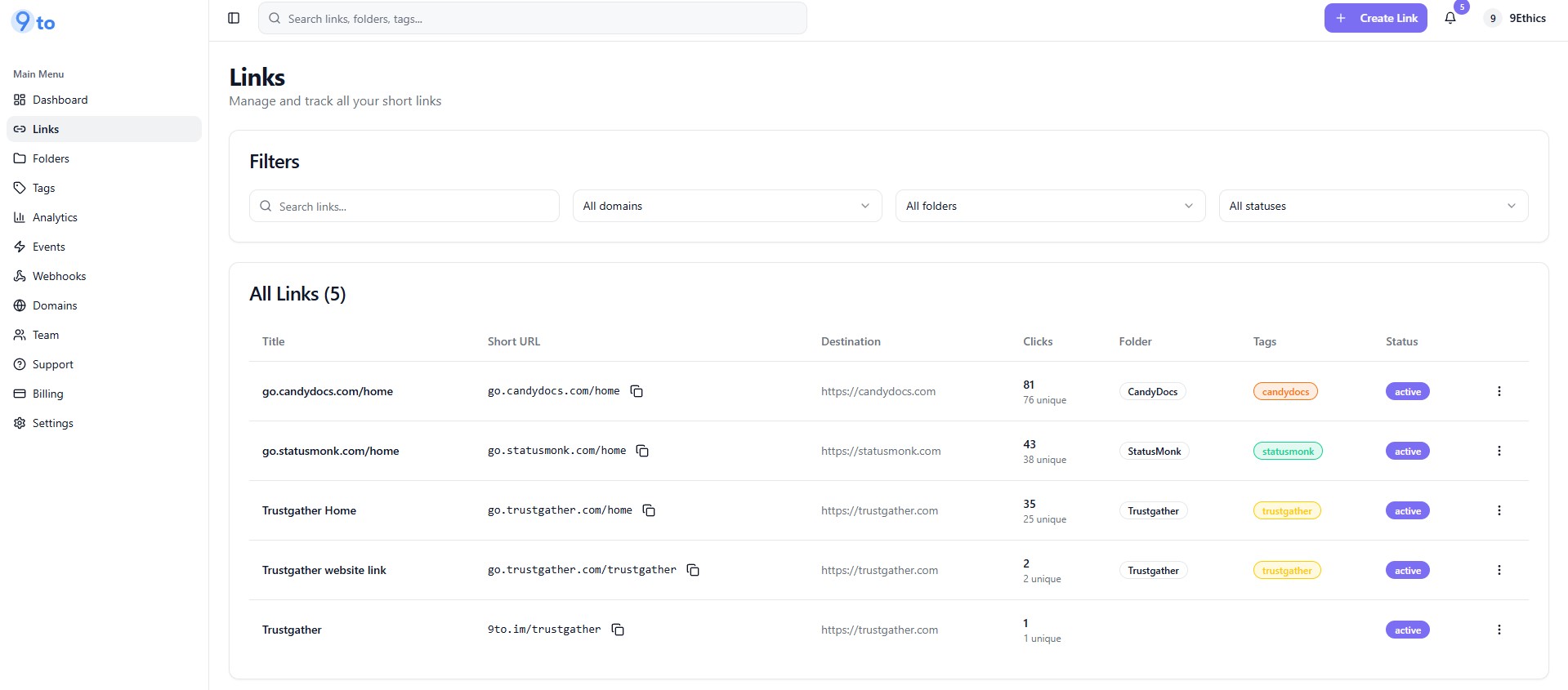
🔗 Step 1: Create or Select a Short Link
Go to Links dashboard
Either:
Create a new short link, or
Select an existing link
👉 QR codes are generated for short links.
📱 Step 2: Open QR Code Option
Click on the 3-dot menu next to your link
Select:
👉 QR Code
This will open the QR code generator.
🎨 Step 3: Customize Your QR Code
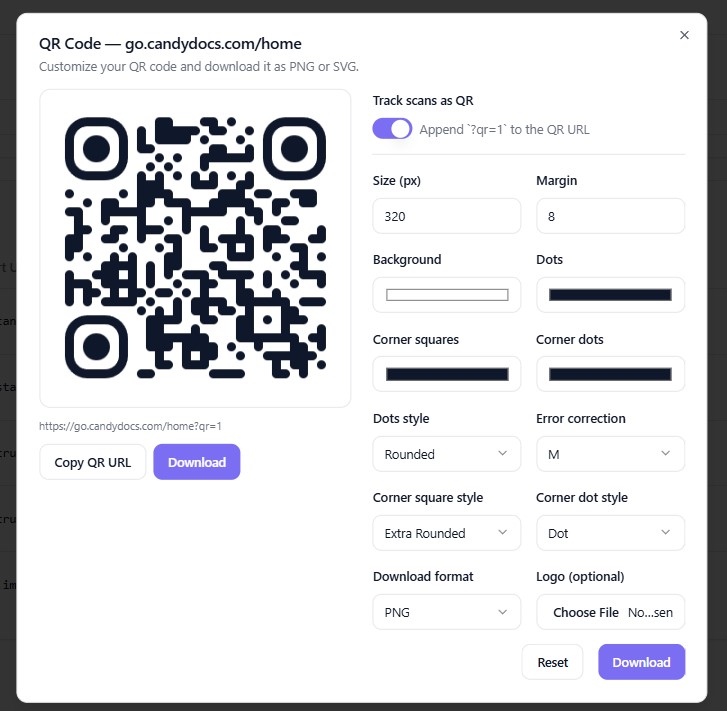
You can fully customize your QR code design:
🎯 Colors
Change foreground and background colors
Match your brand identity
🧩 Style & Pattern
Choose different QR styles or shapes
🖼️ Add Logo
Upload your brand logo inside the QR code
Makes it more recognizable and professional
📏 Size & Margin
Adjust QR size
Set margins for better scanning
👀 Step 4: Preview Your QR Code
You will see a live preview as you customize.
👉 Make sure:
Code is clearly visible
Contrast is good
Logo doesn’t block scanning
📥 Step 5: Download QR Code
Once ready:
👉 Download in your preferred format:
PNG (for web use)
SVG (for high-quality print)
⚡ How Dynamic QR Codes Work
Your QR code is linked to your short link:
If you update the destination URL → QR code still works
No need to reprint or regenerate
👉 This is ideal for long-term campaigns.
📊 Track QR Code Performance
With 9to, you can track:
📊 Number of scans
🌍 Location of users
📱 Device type
⏱️ Time of scans
👉 All analytics are available in your dashboard.
🎯 Use Cases
QR codes are perfect for:
📰 Flyers and brochures
🛍️ Product packaging
📢 Posters and billboards
🎟️ Event tickets
🍽️ Restaurant menus
📇 Business cards
💡 Best Practices
✅ Use high contrast colors (dark on light background)
✅ Add your brand logo for trust
✅ Test QR code before printing
✅ Use short links for flexibility
✅ Place QR codes where they are easy to scan
❌ Common Mistakes to Avoid
❌ Using low contrast colors
❌ Adding too large logo
❌ Not testing before printing
❌ Using static QR codes instead of dynamic ones
❌ Placing QR codes in hard-to-scan areas
🔥 Pro Tips
Combine QR codes with:
📊 UTM tracking for campaigns
🎯 Geo targeting for location-based redirects
📱 Device targeting for better UX
Use QR codes to:
Drive offline traffic online
Track campaign ROI
Increase engagement
🏁 Conclusion
Creating QR codes in 9to.in is simple, flexible, and powerful. With dynamic links, customization options, and real-time tracking, you can turn every scan into actionable insights.
Start using QR codes to bridge the gap between offline and digital marketing 🚀